
Android 17 & June Pixel Drop: The Biggest Update of 2026
Google just dropped something massive. Android 17 is finally here. But that's not all.
For the first time ever, Google is shipping three major updates together. Android 17. The June Pixel Feature Drop. And Wear OS 7 for Pixel Watch. All on the same day. All starting today.
If you own a Pixel 6 or newer, your phone just became significantly more powerful overnight.
What Exactly Is This Update?
This is three announcements rolled into one. Google is shipping the June 2026 Pixel Feature Drop alongside the broader Android 17 release and Wear OS 7 for Pixel Watch.
Android 17 reached Pixel first today. Other Android devices from Samsung, OnePlus, and others will get it later in 2026.
But Pixel owners? You are at the front of the line for all of it.
The Star Feature: Bubbles Multitasking
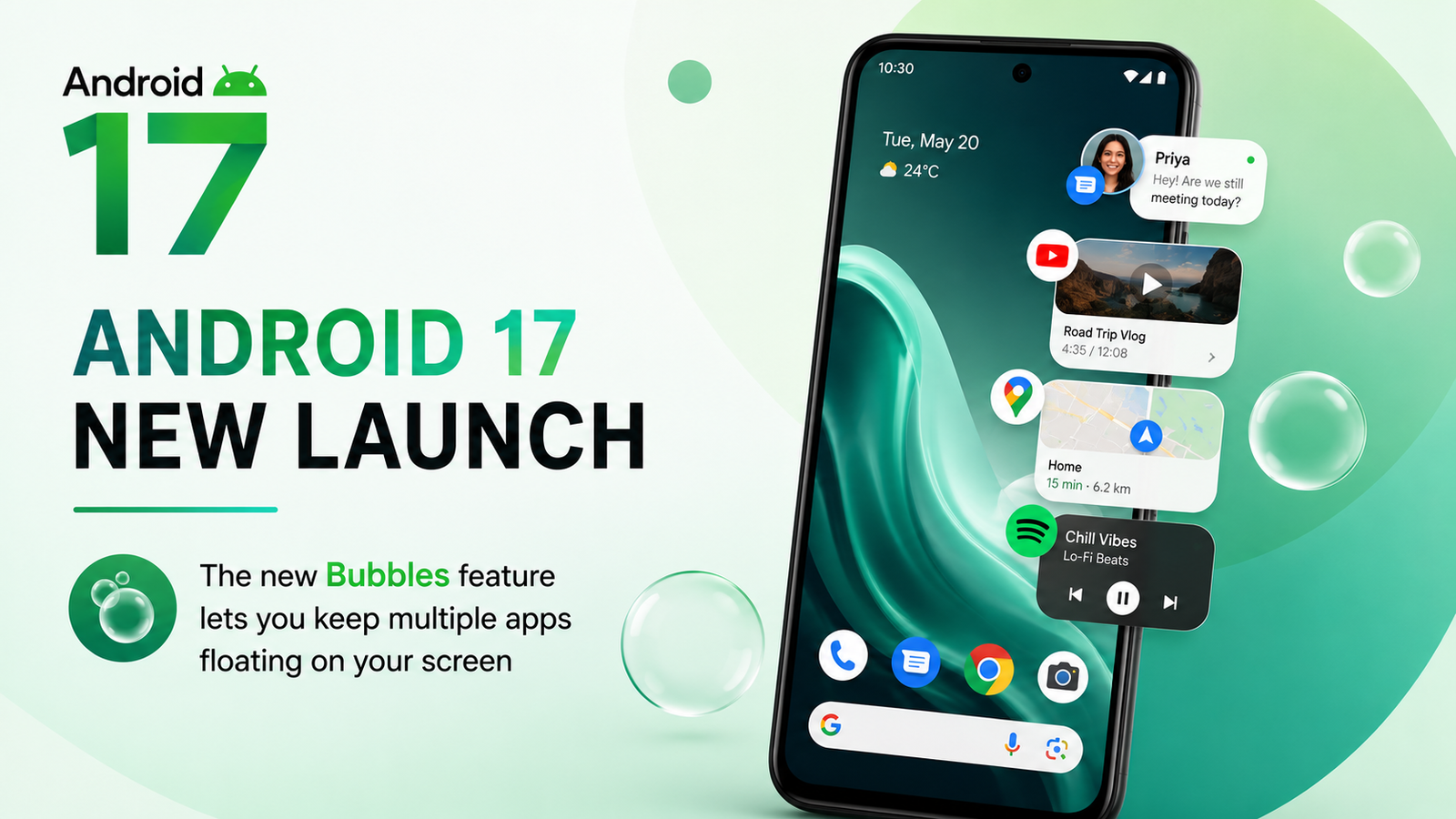
The biggest addition in Android 17 is Bubbles. And this is not the old Bubbles you might remember from message apps. This is system-wide.
You can now turn ANY app into a floating bubble. Just long-press any app on your home screen. Tap the new button. And boom — it becomes a chat-head style icon that you can move anywhere on your screen.
Need to keep Google Maps open while reading a document? Bubble it. Want to watch a tutorial while taking notes? Bubble both. It keeps everything you need within reach but out of the way.
For foldable devices like the Pixel 10 Pro Fold, there is a dedicated Bubble Bar at the bottom. It organizes all your active bubbles in one place.
Screen Reactions: Built-in Green Screen
Content creators, this one is for you.
Android 17 introduces Screen Reactions. It is basically a built-in green screen inside your screen recorder. You can now record your screen AND your selfie camera at the same time.
Reaction videos. Tutorials. Gameplay commentary. All without needing any third-party app. Just toggle the selfie camera option before starting a screen recording, and you are good to go.
This is going to change how creators make content for TikTok, Instagram, and YouTube Shorts.
Gemini AI Gets Supercharged
Google is going all-in on AI with this update.
Gemini Omni is now available on Pixel devices. It can generate custom videos from text prompts. Just describe what you want, and Gemini creates a video.
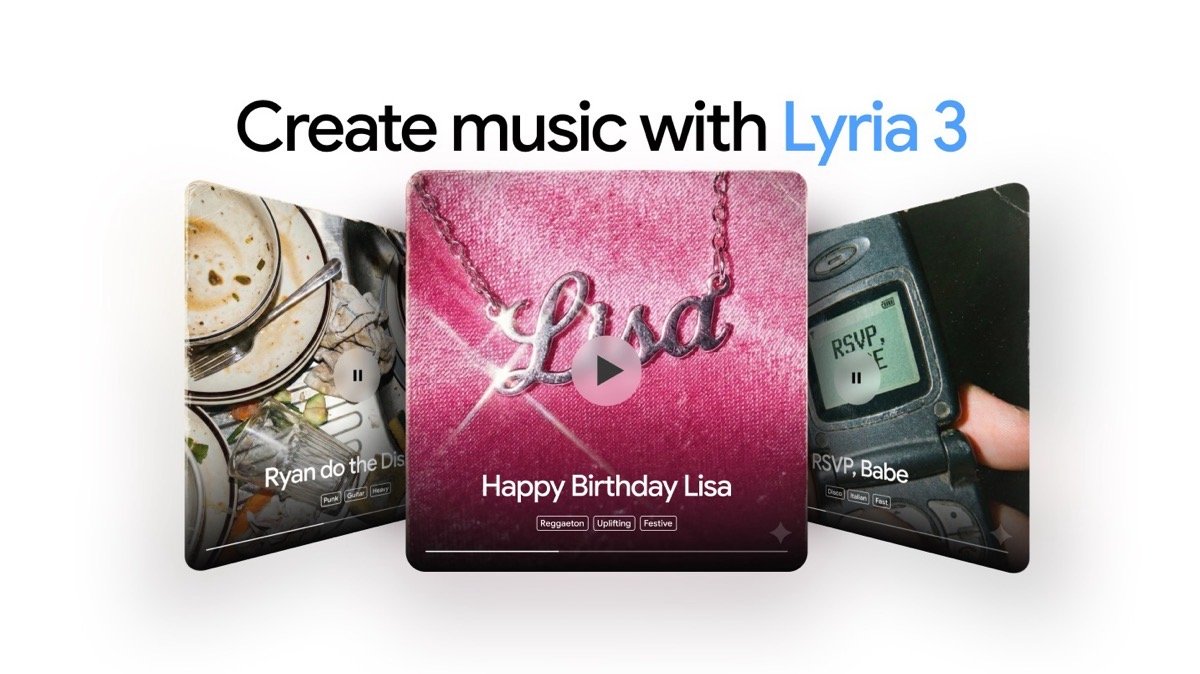
Lyria 3 is even more exciting. It generates original music from text prompts or even images. Describe a concept or upload a photo, and Lyria creates a complete track with lyrics, vocals, and instruments. The best part? No premium subscription needed for Lyria 3.
You can also customize the genre, tempo, and vocals. Want a lo-fi beat about a rainy day? Done. An EDM track about a sunset? Easy.
Security and Privacy Upgrades
Android 17 is also tightening security in meaningful ways.
Better location privacy: You can now grant temporary location access to apps. No more "allow always" or "deny" only. There is now a one-time precise location option.
Share specific contacts: Apps requesting contacts can now be limited to specific entries instead of your entire address book.
Enhanced "Mark as Lost": Find Hub now lets you lock your phone with biometrics. Even if a thief has your passcode, they cannot access your data or turn off tracking.
Other Cool Changes
- Quick Share with AirDrop: Pixel 8a and 9a users can now share files with iPhones, iPads, and Macs.
- Manual Call Screen: Now available in India. Google can answer unknown callers for you and tell you who is calling.
- Voice Translate: Now on Pixel 10a. Translates each caller in their own voice during a live call.
- Split Wi-Fi and Mobile toggles: The old Internet tile is now separate Wi-Fi and Mobile data controls.
- Hide app names: You can now remove app labels from your home screen for a cleaner look.
Which Pixel Phones Are Getting This?
Google is rolling out Android 17 to a wide range of devices starting today:
- Pixel 6, 6 Pro, 6a
- Pixel 7, 7 Pro, 7a
- Pixel 8, 8 Pro, 8a
- Pixel 9, 9 Pro, 9 Pro XL, 9 Pro Fold, 9a
- Pixel 10, 10 Pro, 10 Pro XL, 10 Pro Fold, 10a
- Pixel Tablet and Pixel Fold
If you have a Pixel 6 or newer, check for the update now. It should be available in your settings.
Is This Update Worth It?
Short answer: Yes. Absolutely.
This is not a minor point release. Android 17 brings real, usable features that change how you interact with your phone. The Bubbles multitasking alone is a game changer for productivity. The AI tools open up creative possibilities that were not possible before. And the security upgrades give you peace of mind.
Google has also fixed dozens of bugs. For Pixel 10 users, this update fixes display glitches, including a white flickering dot and graphical issues.
If you own a Pixel, this is the update you have been waiting for.
Final Thoughts
Android 17 and the June Pixel Drop show Google's new strategy. Major features are no longer tied to annual OS upgrades alone. They are delivered through Pixel Drops, app updates, and services.
But this time, everything came together. Android 17. The Pixel Drop. Wear OS 7. All at once. It is the biggest update of 2026 so far.
If you have a Pixel, go check your settings. Install the update. Explore the new features. And let me know what you think about Bubbles in the comments.
This is the future of Android. And it is already here.
WebStudioLabs tracks the latest tech updates so you don't have to. Bookmark us for more coverage on Android, Pixel, and AI tools.
Check out our Professional Website Development Services here